> For the complete documentation index, see [llms.txt](https://manual.zsolution.vn/llms.txt). Markdown versions of documentation pages are available by appending `.md` to page URLs; this page is available as [Markdown](https://manual.zsolution.vn/tinh-nang-cho-tung-bo-phan/bo-phan-marketing/marketing-tao-lien-he.md).
# Marketing tạo liên hệ
**Mục đích**: User marketing vào tạo liên hệ mới gán với bộ phận sale để chăm sóc
**Bước 1:** Vào menu **Liên hệ** => Click vào "**Tạo**"
Người dùng nhập thông tin liên quan tới khách hàng
* Tên khách hàng
* Thông tin khách hàng
* Thông tin đội marketing
* Thông tin bổ sung
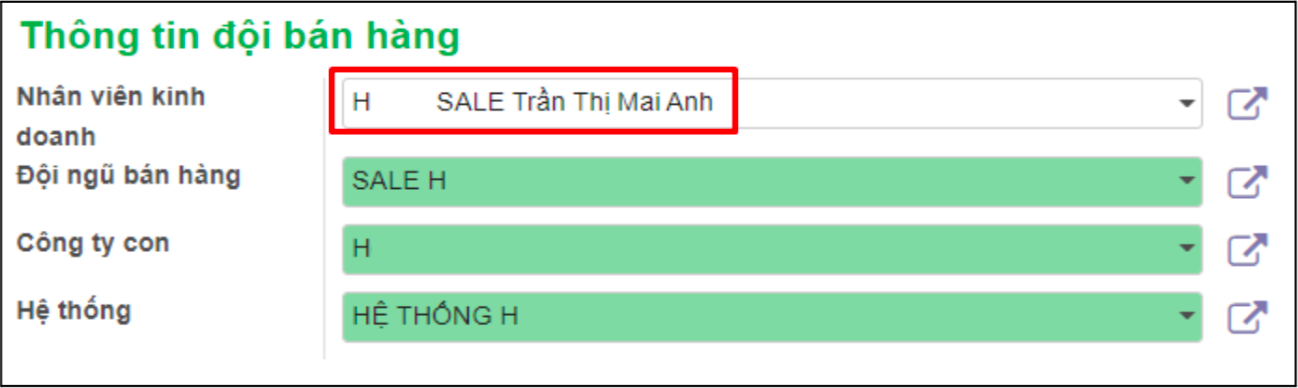
* Thông tin đội bán hàng: Chọn tới đội ngũ bán hàng sẽ chăm sóc liên hệ đó.
**Trường hợp 1**: Nếu liên hệ gán với đội ngũ bán hàng thì tất cả nhân viên sale trong team đều có thể nhìn thấy để nhận cơ hội về chăm sóc
**Trường hợp 2**: Nếu liên hệ gán với 1 nhân viên kinh doanh thì chỉ nhân viên kinh doanh đó có thể chăm sóc cơ hội. Và leader của nhân viên kinh doanh đó có thể nhìn thấy cơ hội để quản lý